
1Open Customer Portal
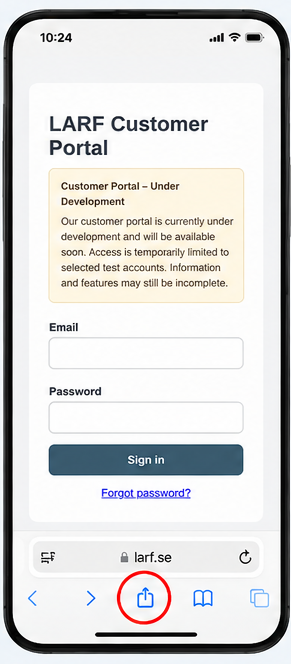
Visit the LARF Customer Portal using Safari on your iPhone.
The new LARF customer portal will provide homeowners with direct access to their property information and documents.
Add the Customer Portal to your phone’s Home Screen for convenient access. Choose your device and follow the instructions.
Visit the LARF Customer Portal using Safari on your iPhone.
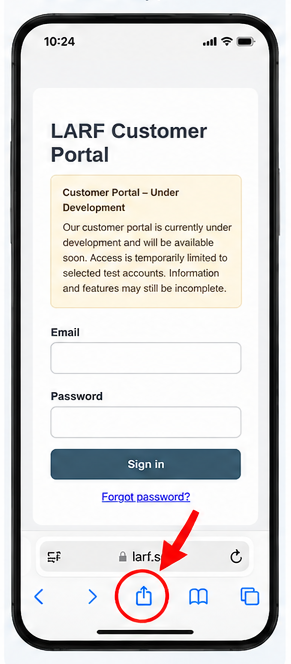
Tap the Share icon (a square with an upward arrow) in Safari.
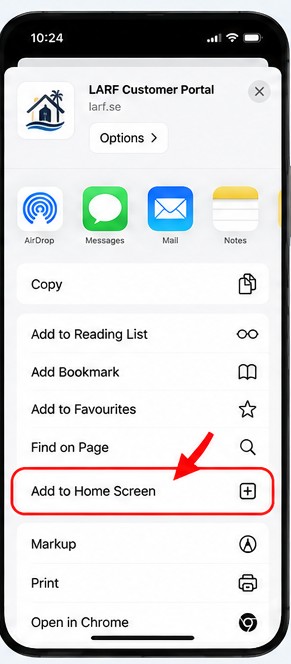
Scroll down and choose “Add to Home Screen”.
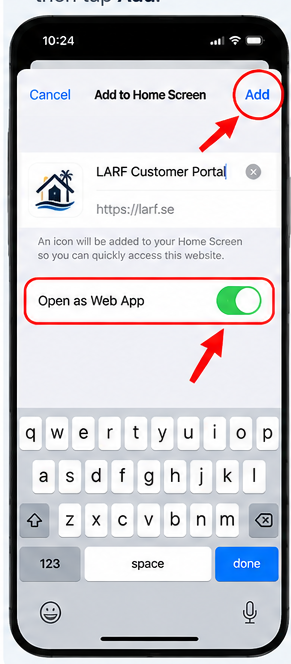
Make sure “Open as Web App” is enabled, then tap “Add”.
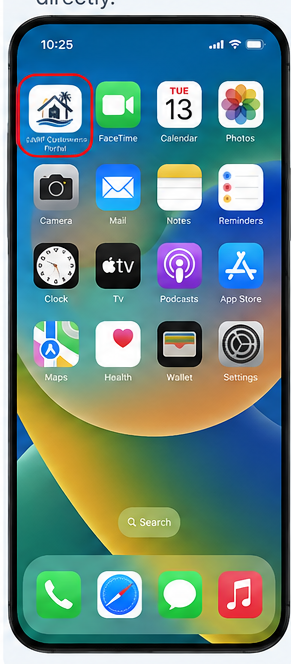
Find the LARF Customer Portal icon on your Home Screen and tap to open it.
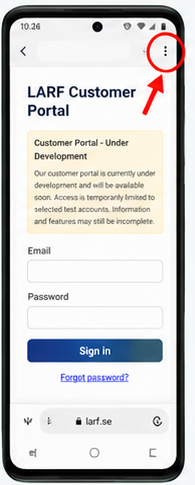
Open LARF Customer Portal in Google Chrome on your Android phone.
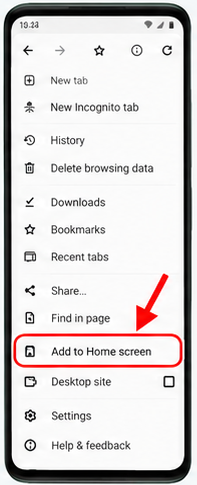
Tap the three dots at the top right, then choose “Install app” or “Add to Home screen”.
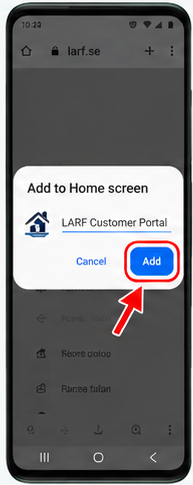
Confirm the installation by tapping “Install” or “Add”.
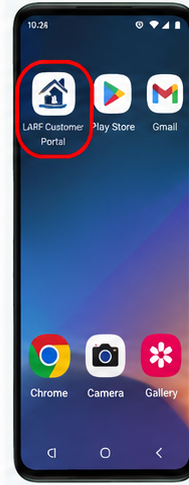
Open LARF Customer Portal from your Home Screen or app drawer.
Illustrative screenshots. The appearance and menu wording may differ depending on your phone and operating system.
Already installed the app? Open the portal and sign in.
Go to Customer Portal Login